Fast setup for everyday repeat tasks
Standard workflow
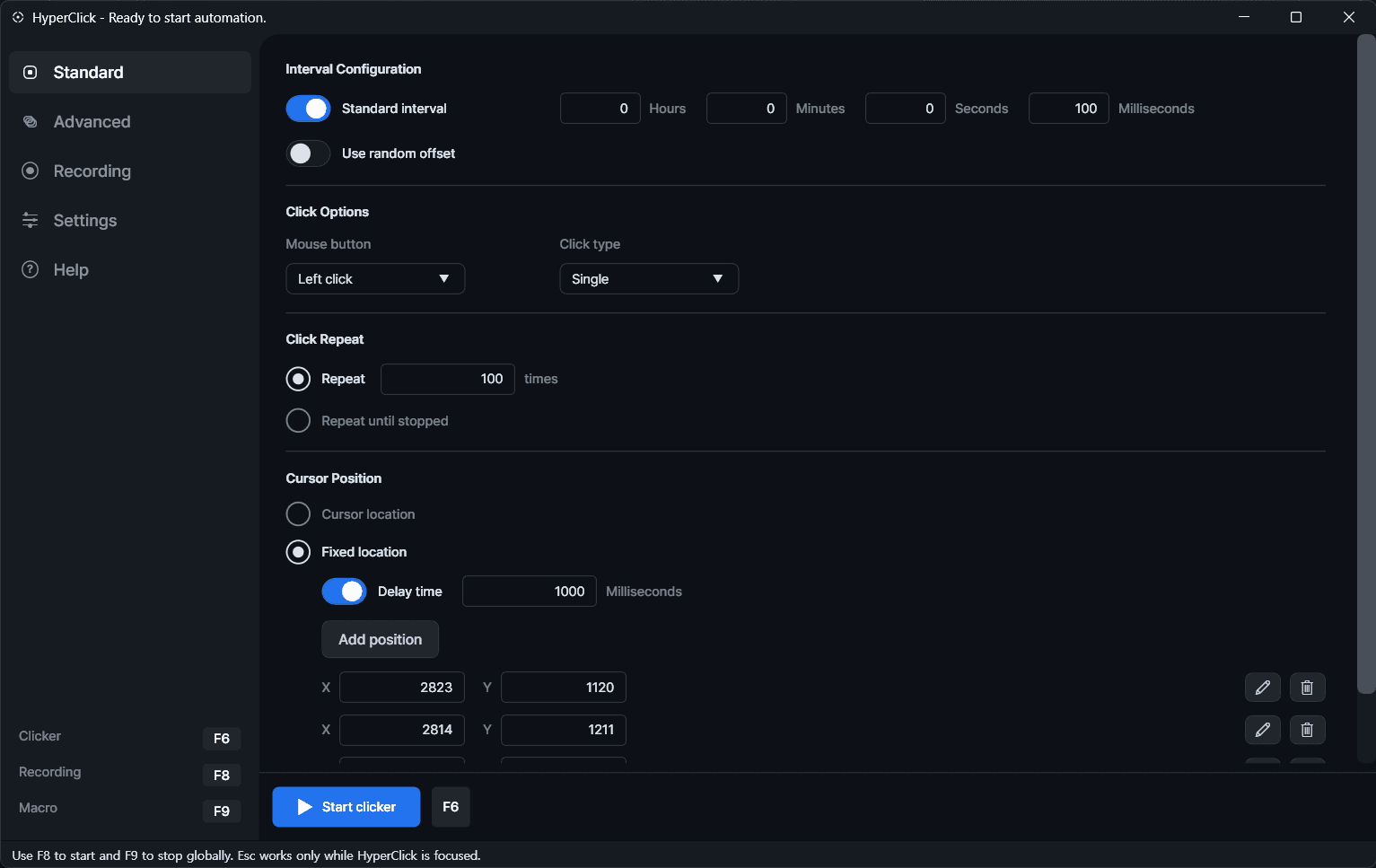
The standard screen keeps the most common repeat-click setup close at hand, so a profile can be selected, adjusted, and started without extra steps.
Featured Product
A Windows desktop automation utility for repeat workflows, fast hotkey control, and installer-ready distribution.
What It Does
It is built for practical desktop automation without turning into a heavy workflow suite. Profiles, hotkeys, timing control, and reusable actions stay close to the core use case.
Visual Walkthrough
The standard screen keeps the most common repeat-click setup close at hand, so a profile can be selected, adjusted, and started without extra steps.
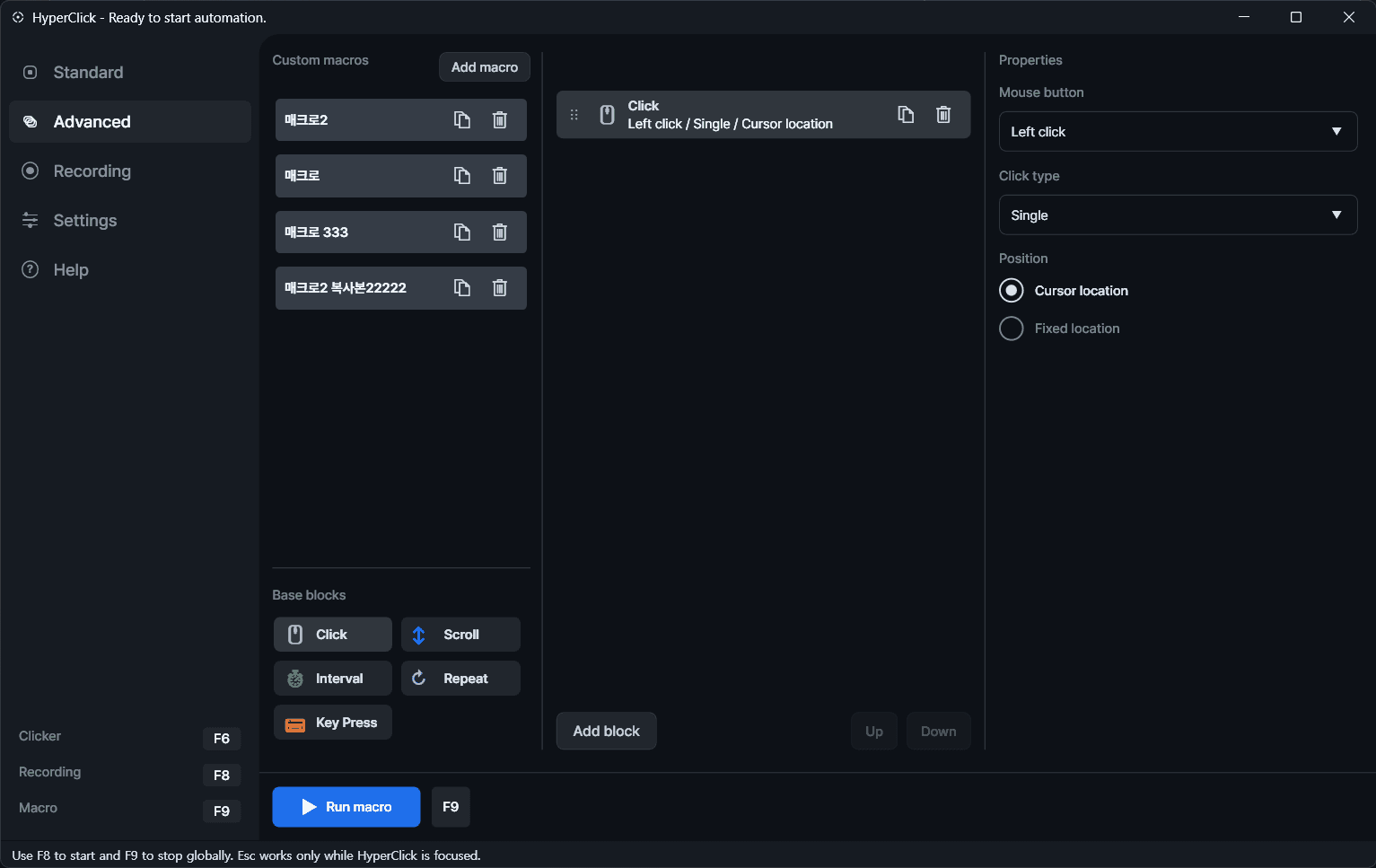
The advanced view expands Hyper Click into a more configurable desktop utility with block-based actions, delay control, and more deliberate workflow composition.
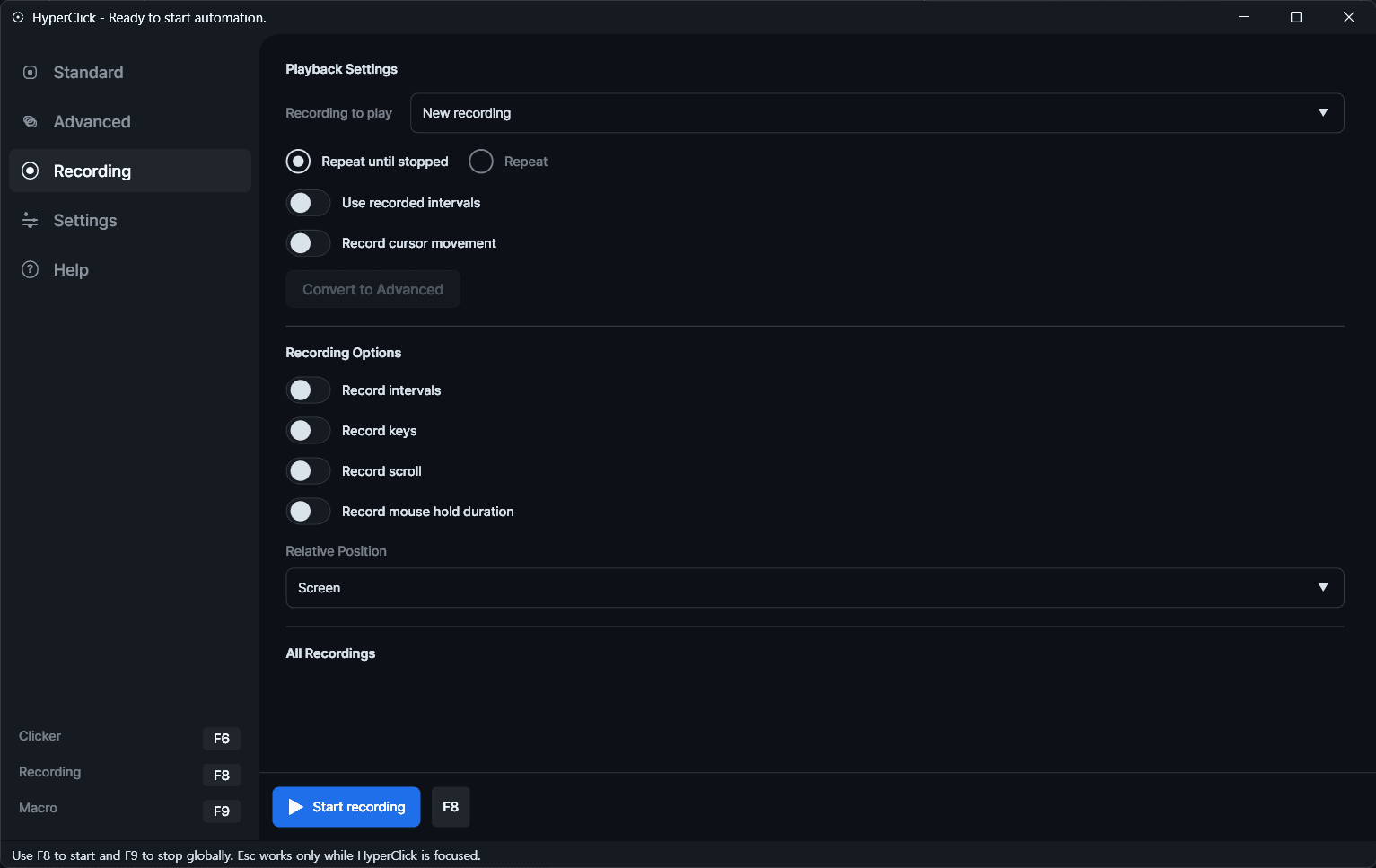
Recording mode captures a sequence first, then replays it with timing control, making repetitive desktop routines easier to repeat without manual rebuilding.
Core Capabilities
Save and switch between repeat automation setups without rebuilding the same configuration every time.
Start and stop the workflow quickly through desktop hotkeys for faster operation.
Control repeat count, interval timing, click behavior, and workflow pacing for practical automation tasks.
Run actions against the current cursor position or fixed coordinates depending on the use case.
The free release is distributed as a Windows installer with versioned packaging and checksum support.
Download
Use the direct installer for the current free release, or open the full release list on GitHub.
Custom Workflow
If you need a custom internal tool, desktop utility, or broader product build, contact FLYCAT directly.